

Manage segments
View details and perform segment operations
Create a segment by uploading a CSV file containing user IDs to map with existing users.
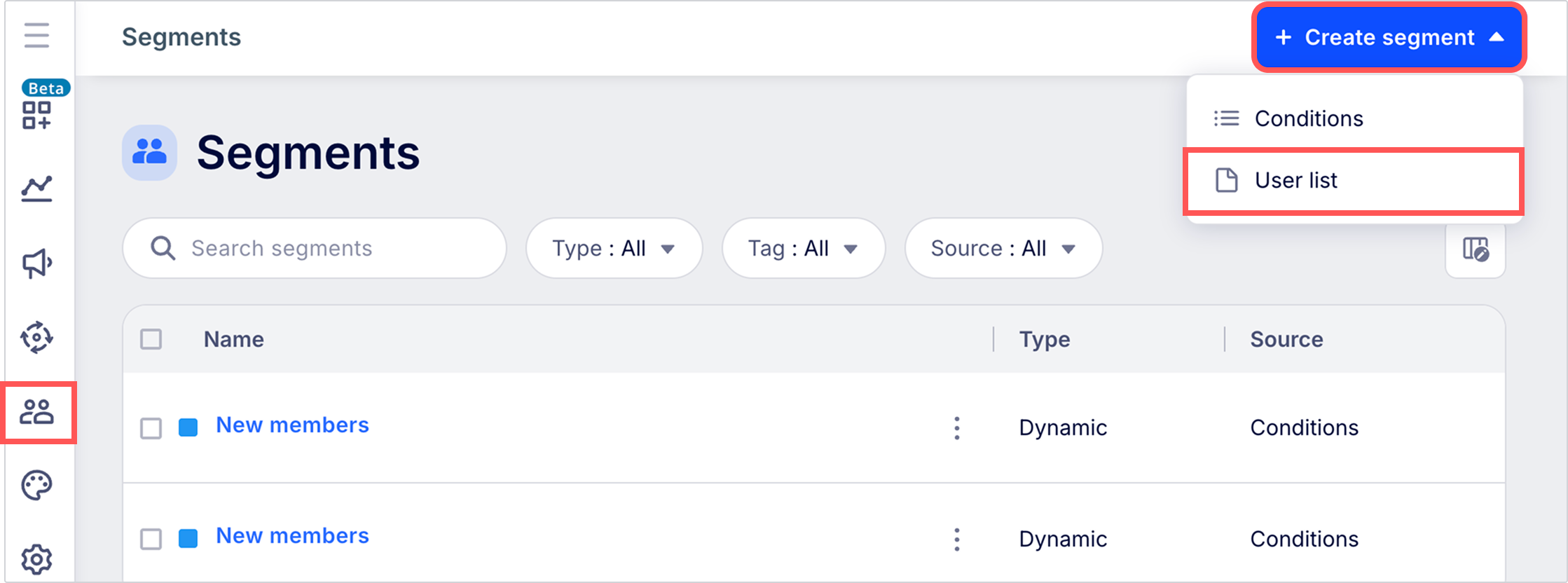
To create a segment by mapping a list of user IDs in an uploaded CSV file, go to Segments and click + Create segment > User list.
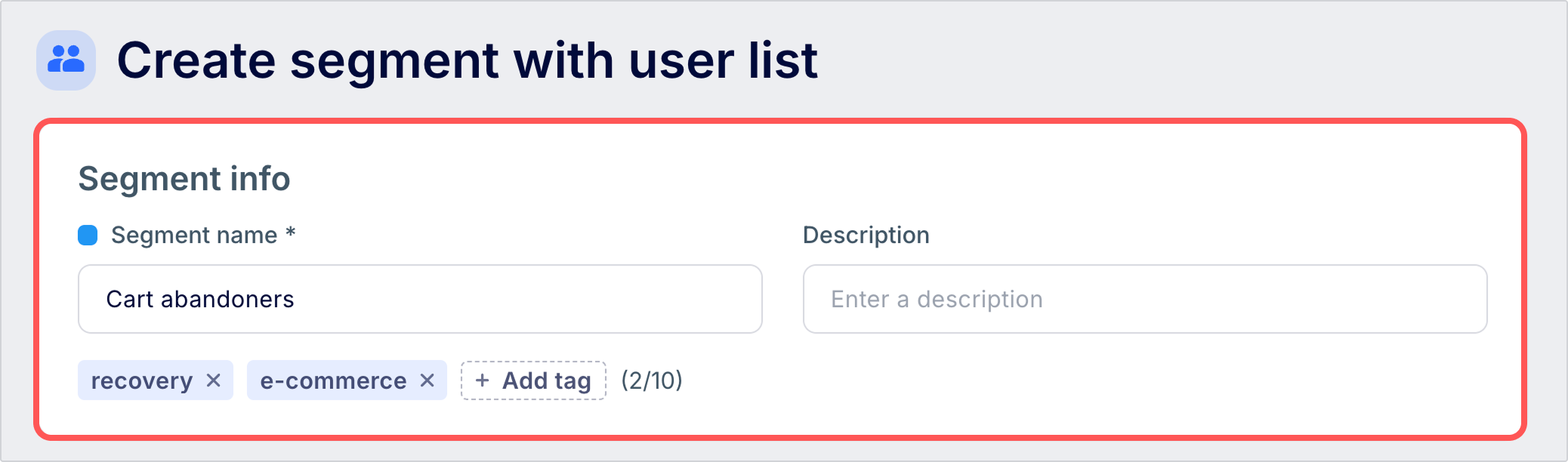
Under Segment info, enter a name, an optional description, and optional tags.
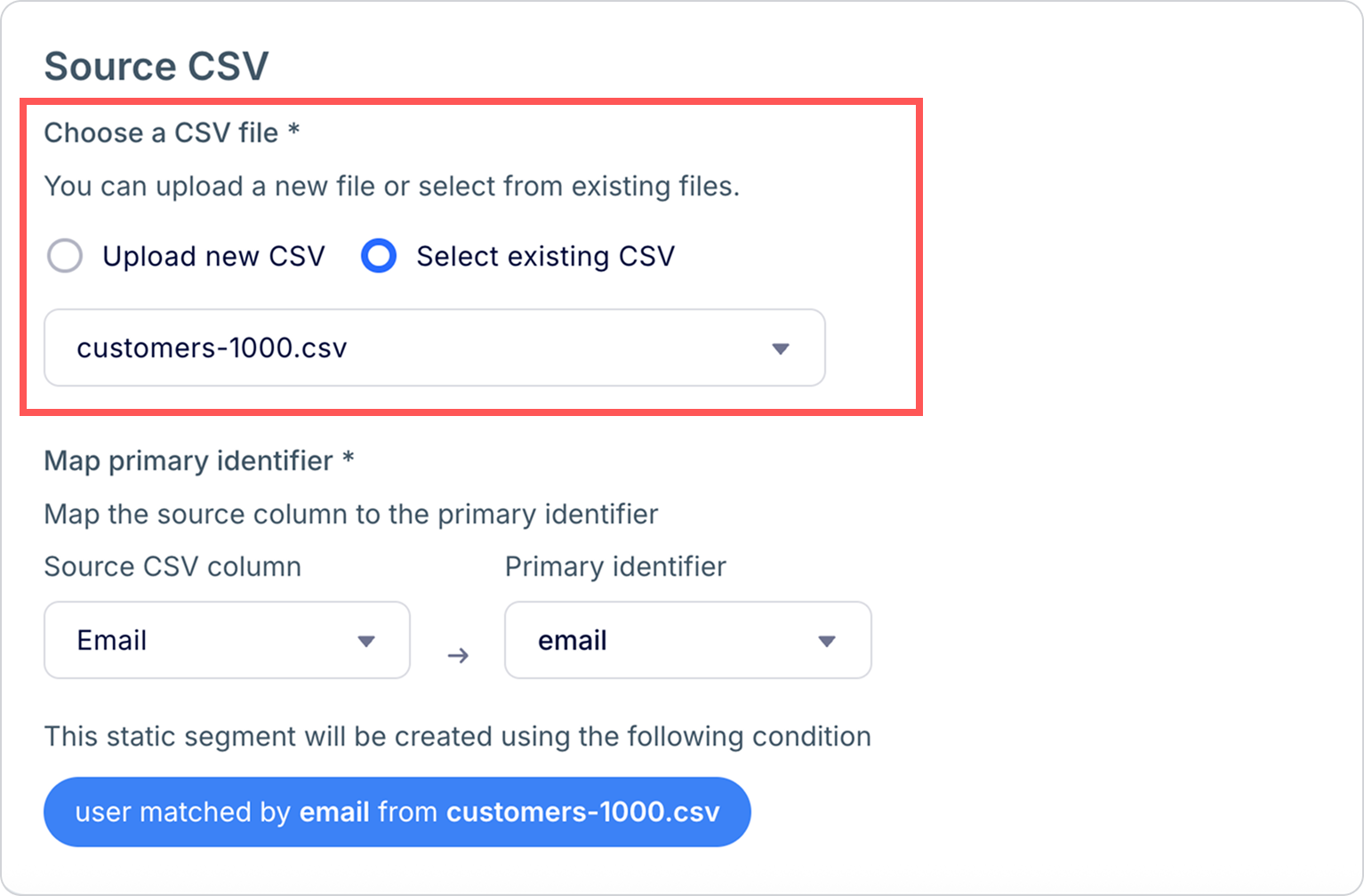
Under Source CSV, choose whether upload a new user file or select an existing one. CSV files can be up to 50 MB.
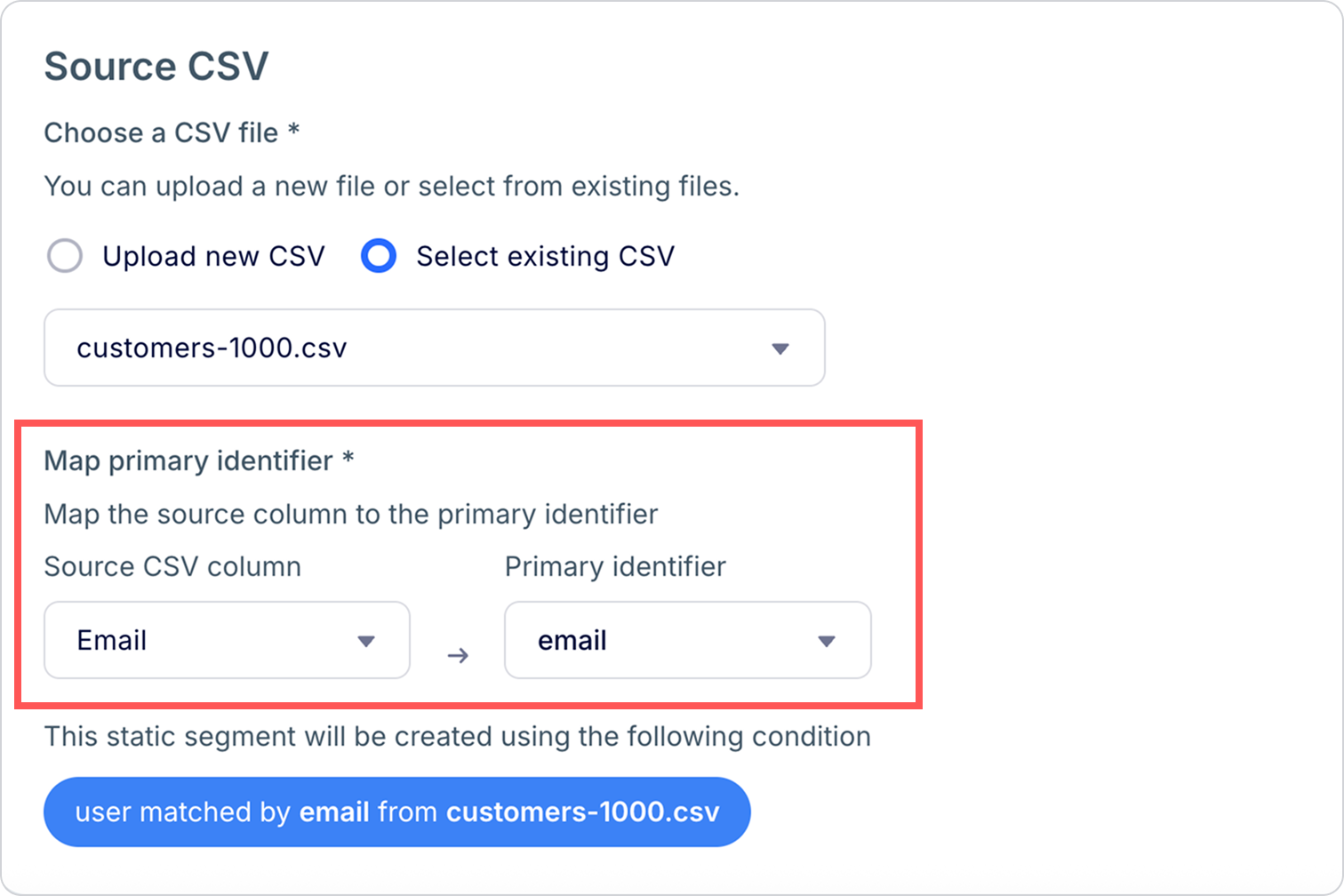
Under Map primary identifier, map the CSV column containing the primary user ID to the corresponding attribute in your project's existing database.
Unmatched user IDsIf a user ID from the source CSV column doesn't match any existing users in your project's database, that ID is ignored. The user won't be included in the segment.
Click Create to finish save the segment. If your account has onboarded to the new segment experience, the resulting segment is a unified static segment. Next, learn how to manage your segment and export it to a third-party ad platform.
Updated 3 months ago