
Journey Settings
After designing the map by adding journey nodes, click Next to configure the following journey settings:
- Journey info
- Journey schedule
- Journey re-entry
- Frequency cap
- Sending limit
- Campaign attribution settings
Journey info
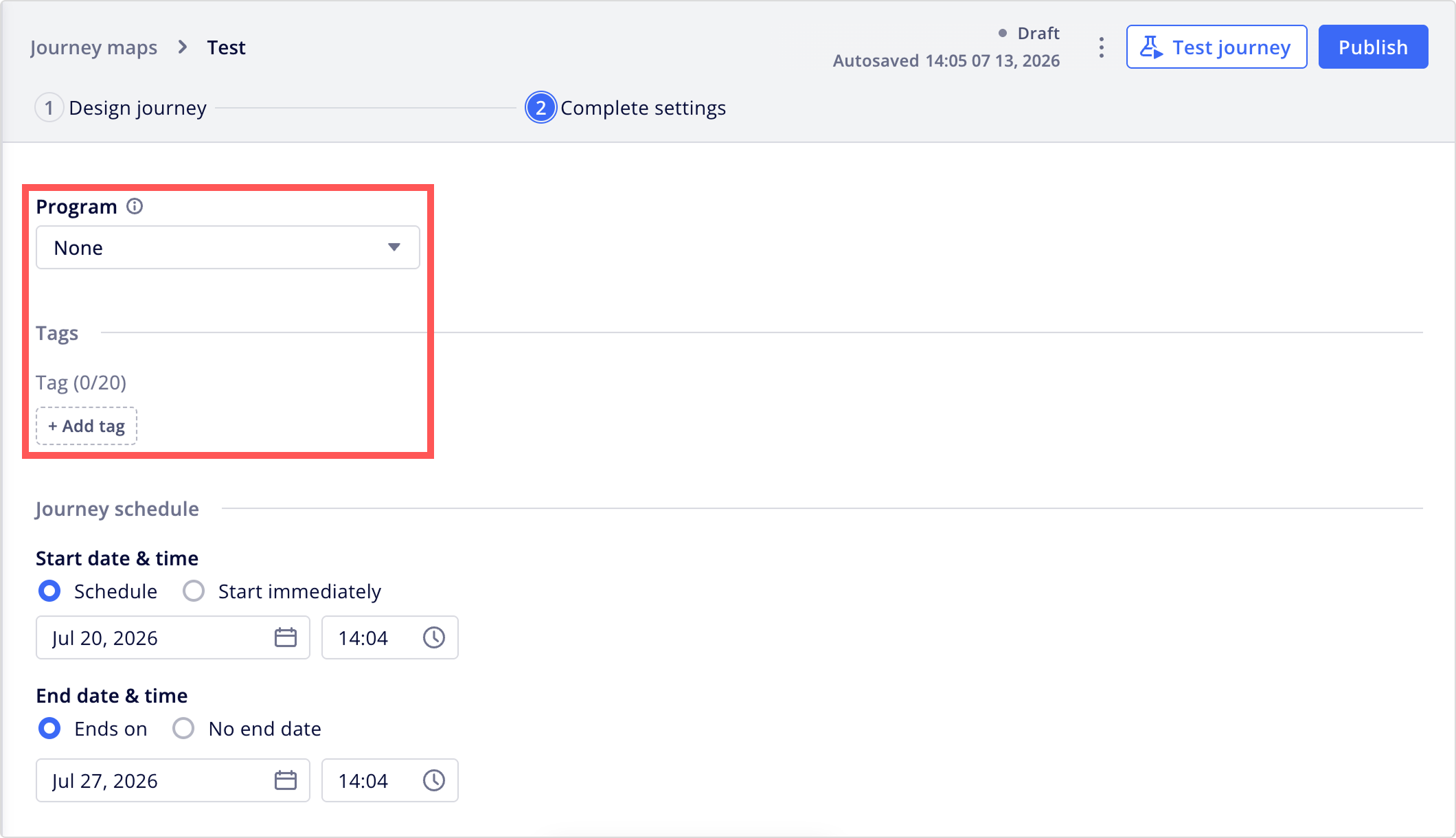
Enter a journey name, and select a program to group this journey with a larger initiative, or select None if the journey isn't part of any existing program. You can also add tags, which can be used for filtering in the journey list.
Journey schedule
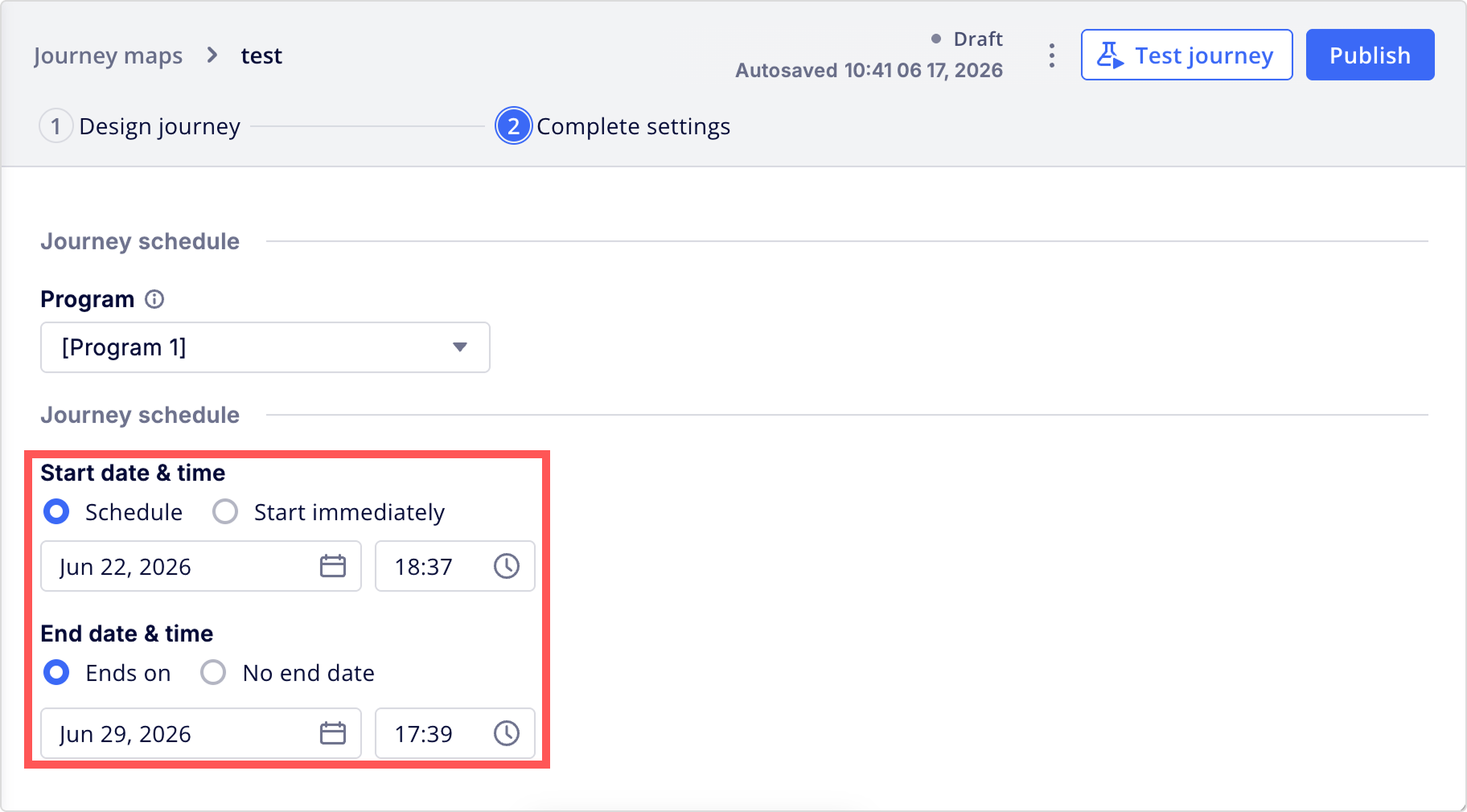
Under Journey schedule, set the start and end time of the journey.
Journey re-entry
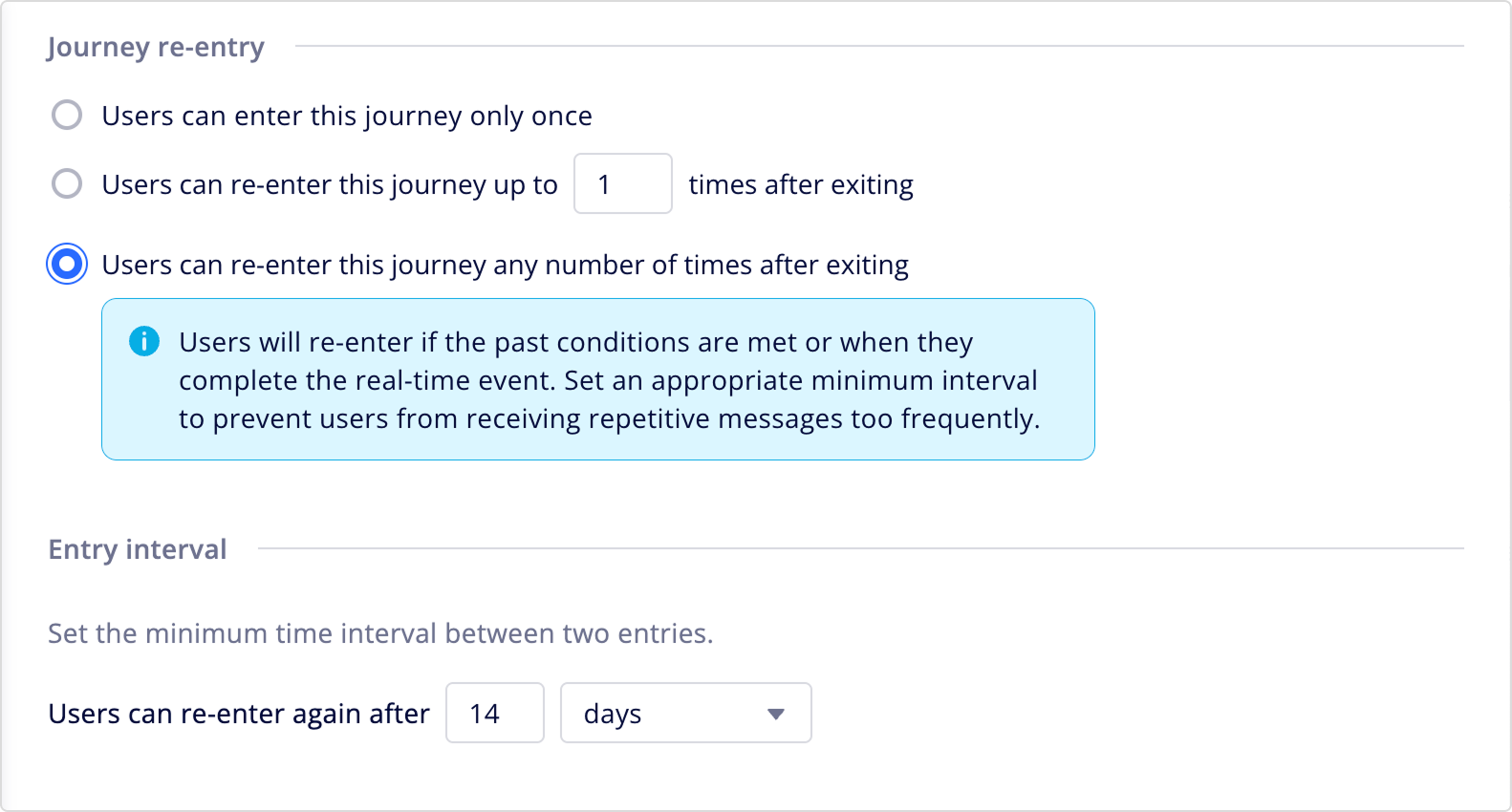
Under Journey re-entry, select a re-entry rule.
- Users can enter this journey only once: Once users exit, they won't re-enter this journey.
- Users can re-enter this journey up to X times after exiting: Enter the maximum number of re-entries and set a minimum interval between each entry.
- Users can re-enter this journey any number of times after exiting: Users can re-enter this journey an unlimited number of times during the journey's schedule. Set a minimum interval between entries.
Notes
- When users are allowed to re-enter the journey, set an appropriate entry interval to avoid sending too many messages to users.
- If you change the re-entry rule on an active journey, it won't affect users who've already exceeded the new limits.
Frequency cap
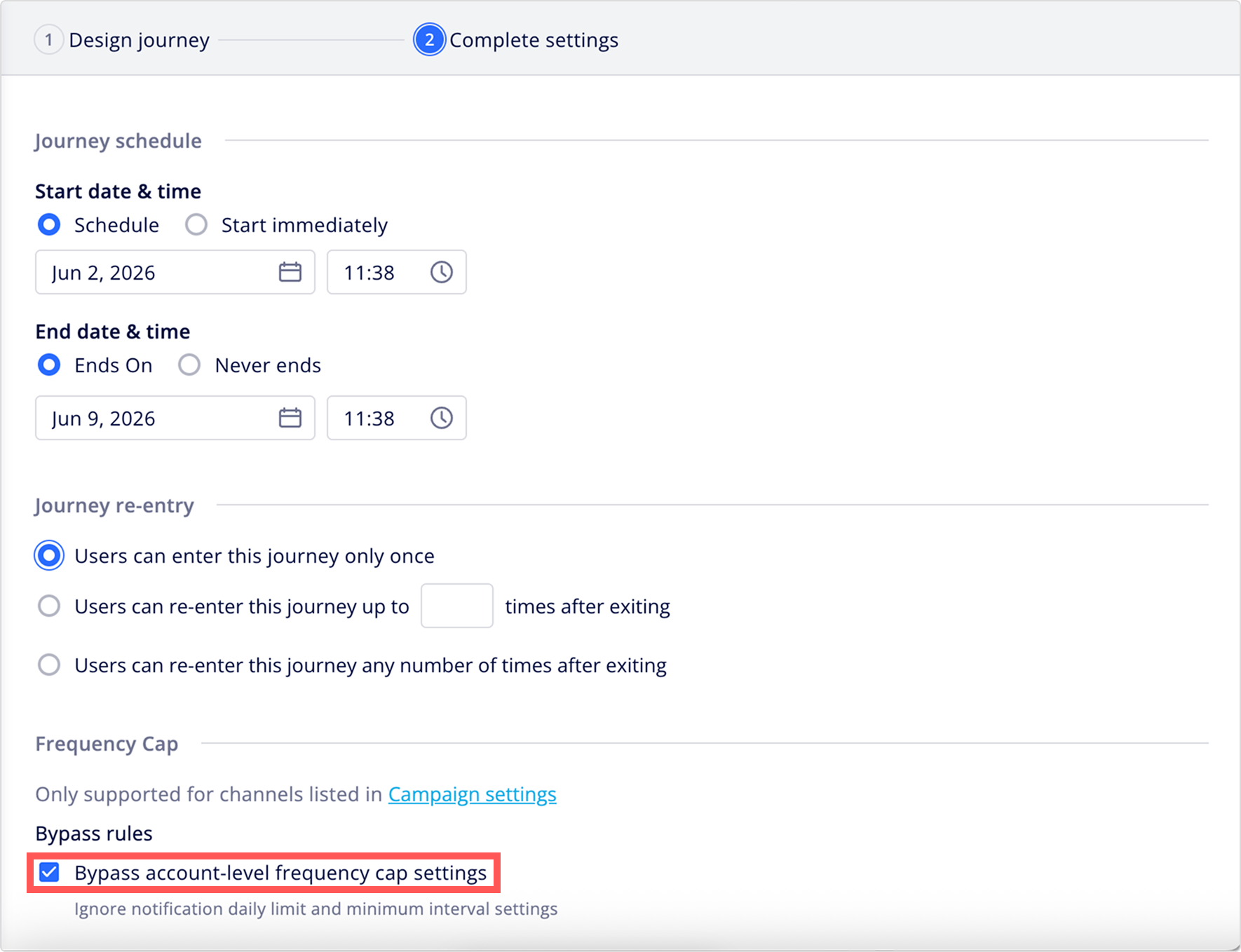
Under Frequency cap, enable Bypass account-level frequency cap settings to ignore the delivery limit and minimum interval configured in Frequency cap for this journey.
Notes
- Frequency cap can also be bypassed on individual message nodes in your journey. When enabled at the journey-level, the journey setting overrides the bypass settings on individual nodes.
- Journey-level bypass rules apply to AIQUA channels only and have no effect on message nodes that use BotBonnie-connected channels, including LINE.
Sending limit
Under Sending limits, set a maximum sending volume per paid messaging channel (SMS, LMS, or Email) for this journey. Only the channels used by message nodes in this journey map are shown as options.
Channels
Check a channel's box to enable its limit, then enter the required maximum number of messages:
- SMS sending limit
- LMS sending limit (South Korea only)
- Email sending limit
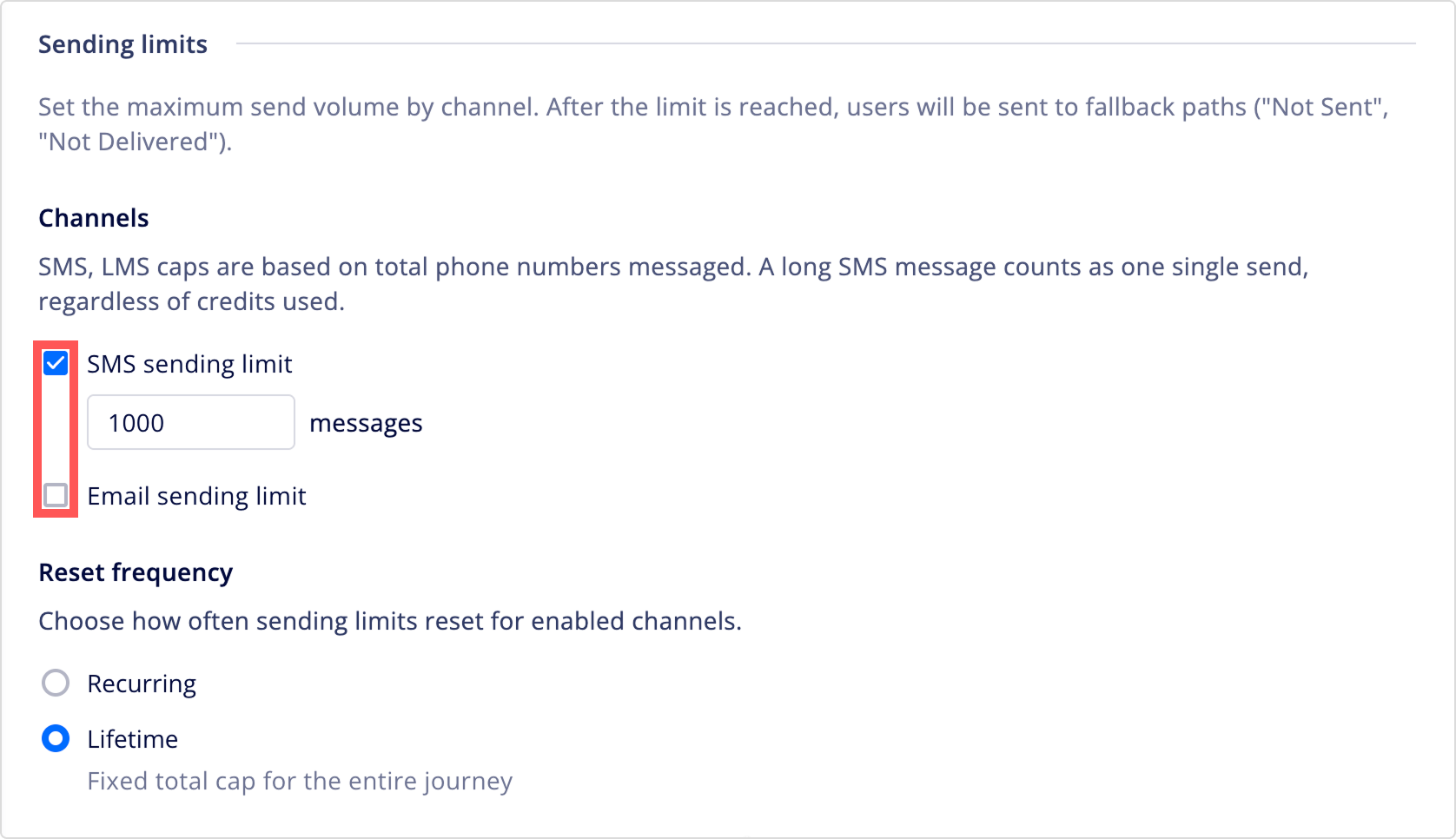
All nodes on the same channel in this journey share a single limit. Once the limit is reached, users at any node on that channel are routed down the node's Not sent path instead of being sent the message. When the journey is active, each enabled channel also shows how many messages have been sent so far in the current cycle.
Notes
- SMS and LMS sending limits are based on the total number of messages sent. A long SMS message that consumes multiple credits still counts as a single send.
- The limit counts a message as sent, not as delivered or received.
Reset frequency
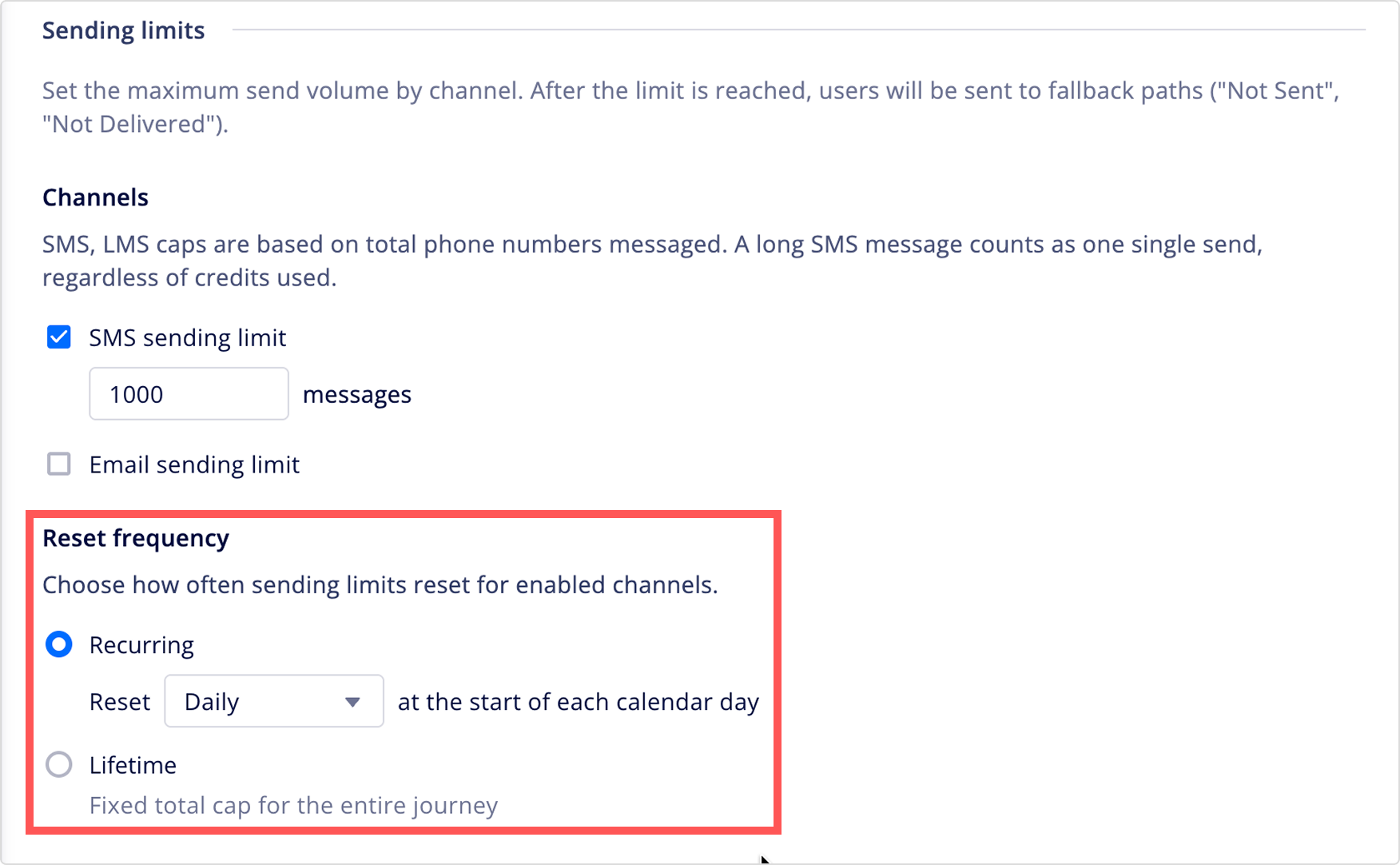
Once you enable a sending limit for at least one channel, the Reset frequency options appear. Select how the sending limit resets:
- Recurring: The limit resets on a repeating schedule.
- Monthly: Resets on the 1st of each calendar month.
- Weekly: Resets on a day of the week you select.
- Daily: Resets at 00:00 each day.
- Lifetime: A fixed total cap for the entire active duration of the journey. The limit never resets.
Notes
- Once the journey is active, you can't switch between Recurring and Lifetime. You can still adjust the sending limit itself.
- The reset schedule is calculated using your account's time zone setting at the moment the journey becomes active. If you change your account's time zone afterward, this journey keeps using the original time zone. To apply an updated time zone, disable the sending limit (which clears its record) or create a new journey.
Best practices
- Set your sending limits based on your monthly channel spend allocation, not your total audience size. The limit is consumed on a first-come, first-served basis, so high-traffic entry periods use it up faster.
- Always configure a meaningful next step on the Not sent path for nodes that belong to a channel with a sending limit. Don't leave the Not sent path empty.
- For channels where a single send can consume multiple credits, such as long SMS, the sending limit counts by number of sends (messages), not by credits consumed.
- For journeys with a fixed total budget, consider setting Reset frequency to Lifetime instead of Recurring to avoid unintended resets mid-journey.
Campaign attribution settings
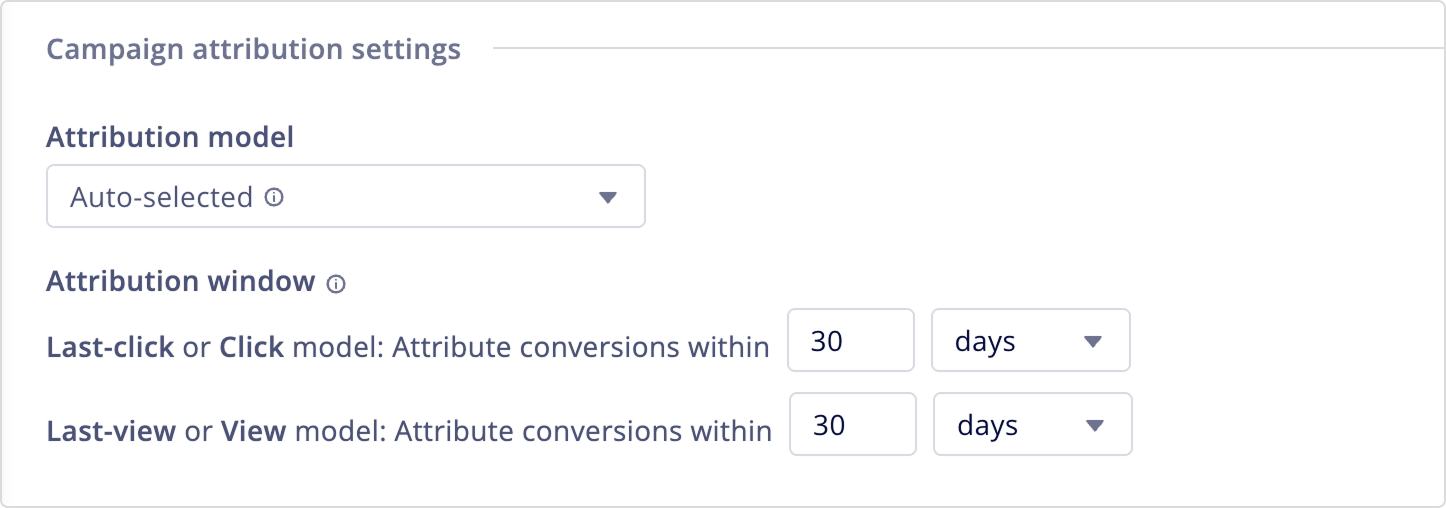
Under Campaign attribution settings, select an attribution model and configure the attribution window to define how conversion credit gets assigned to your journey.
| Setting | Description |
|---|---|
| Attribution model | Select how the system credits conversions to clicks or views. • Auto-selected: Automatically applies an attribution model based on the sending channel. For in-web, in-app, and WebChat campaigns, the system credits the Click or, if no click data is available, the View. For all other channels, the system credits the Last-click or, if no click data is available, the Last-view. • Last-click: Credits the conversion to the journey a user last clicked within the attribution window. • Last-view: Credits the conversion to the final journey message a user viewed within the attribution window. |
| Attribution window | Define how long after a click or view a conversion can be attributed to the journey. You can set a window from 30 minutes to 30 days. To learn more about how conversion windows are calculated, see Understanding attribution windows. |
Updated 26 days ago