
Property Data Types
Use this reference to choose the right property data type and configure how Appier reads, formats, and summarizes each property.
| Type | Description | Configurations |
|---|---|---|
| Text | Any string value. | • Aggregate: Set the aggregation to group or unique. |
| Number | Numbers or decimals. | • Format: Select how the value appears, for example, 1,000 or $1,000.00. Additional currency formats are available in the dropdown. • Aggregate: Set the aggregation to group, unique, or amount. • Buckets: Group numerical values into defined buckets. |
| Boolean | A value with two possible states. | • Type: Display the value as 0;1 or True;False. |
| Timestamp | A date or time value, such as when a profile was created. | • Standard: Unix (a numeric timestamp), ISO 8601 (a standard date-time format such as 2026-04-13T15:30:00Z), or custom. When you select Custom, a Pattern field appears. Enter your own pattern or refer to the Date format guide for supported patterns. • Format: Select a display format (for example, MM/dd/yyyy or MM/dd/yyyy HH:mm:ss). Additional formats are available in the dropdown. • Aggregate: Set the aggregation to group, unique, or amount. |
| Duration | A length of time in seconds or milliseconds. | • Unit: Select milliseconds or seconds. • Format: Select a display format, such as human readable, mm:ss, HH:mm:ss, dd:HH:mm:ss, or enter a custom pattern. • Aggregate: Set the aggregation to group, unique, or amount. |
Aggregations
Use an aggregation to define a rule for summarizing individual values in reports and segments.
| Name | Description | How it works |
|---|---|---|
| Group | Use this option for properties shared across multiple events or users, such as product category or payment type. | For example, in a product_view event schema, setting the category_name property to Group makes it available as a dimension in Compare by to break down results by category in reports. 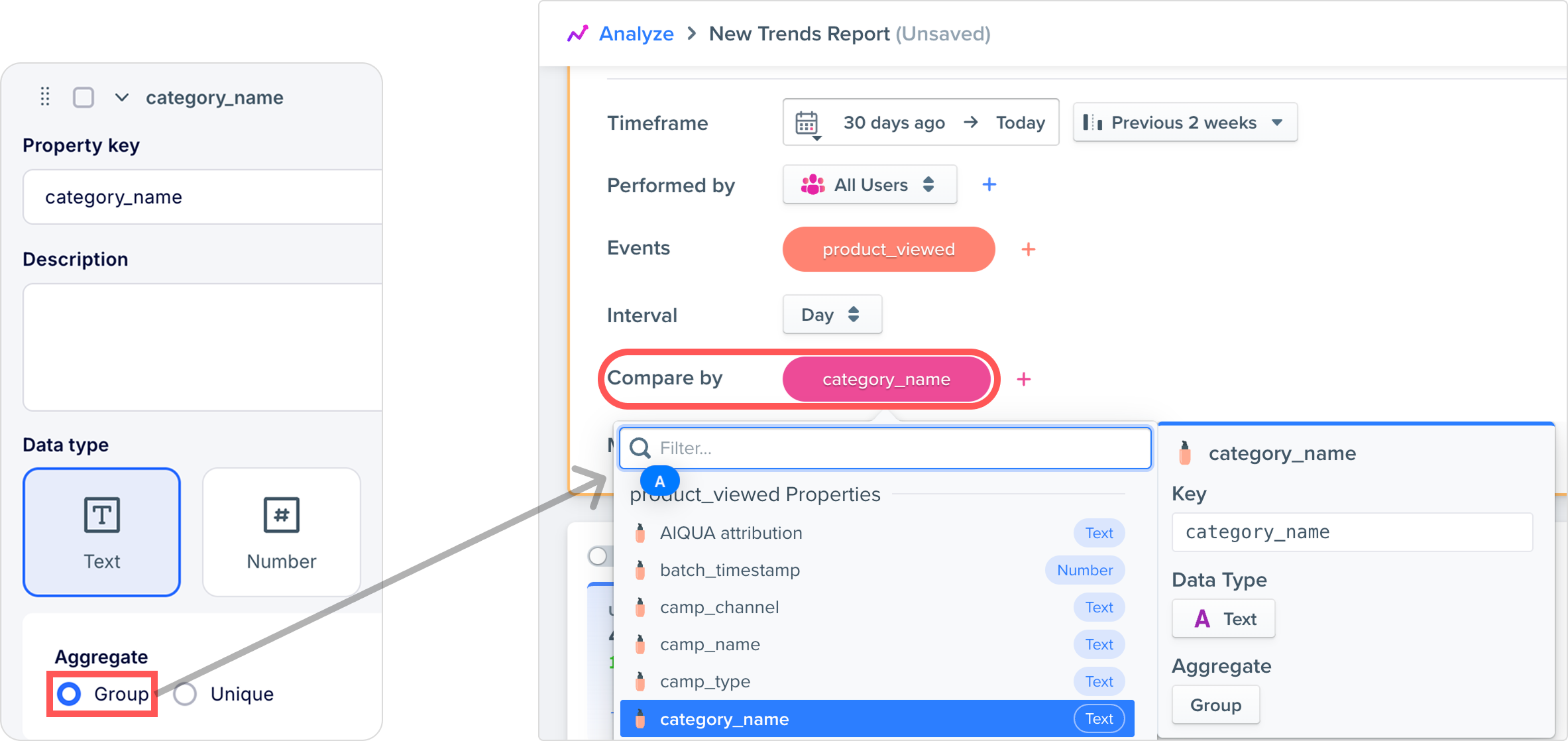 |
| Unique | Use this option for properties that identify a single event, such as a receipt ID or an order ID. | For example, in a checkout_completed event schema, setting the order_id property to Unique keeps it out of Compare by or sum-based conditions. |
| Amount | Use this option for properties that can be summed. This enables sum-based filtering in segments and reports. | For example, in a checkout_completed event schema, setting the order_amount property to Amount makes Sum of order_amount available as a condition in the segment configuration. 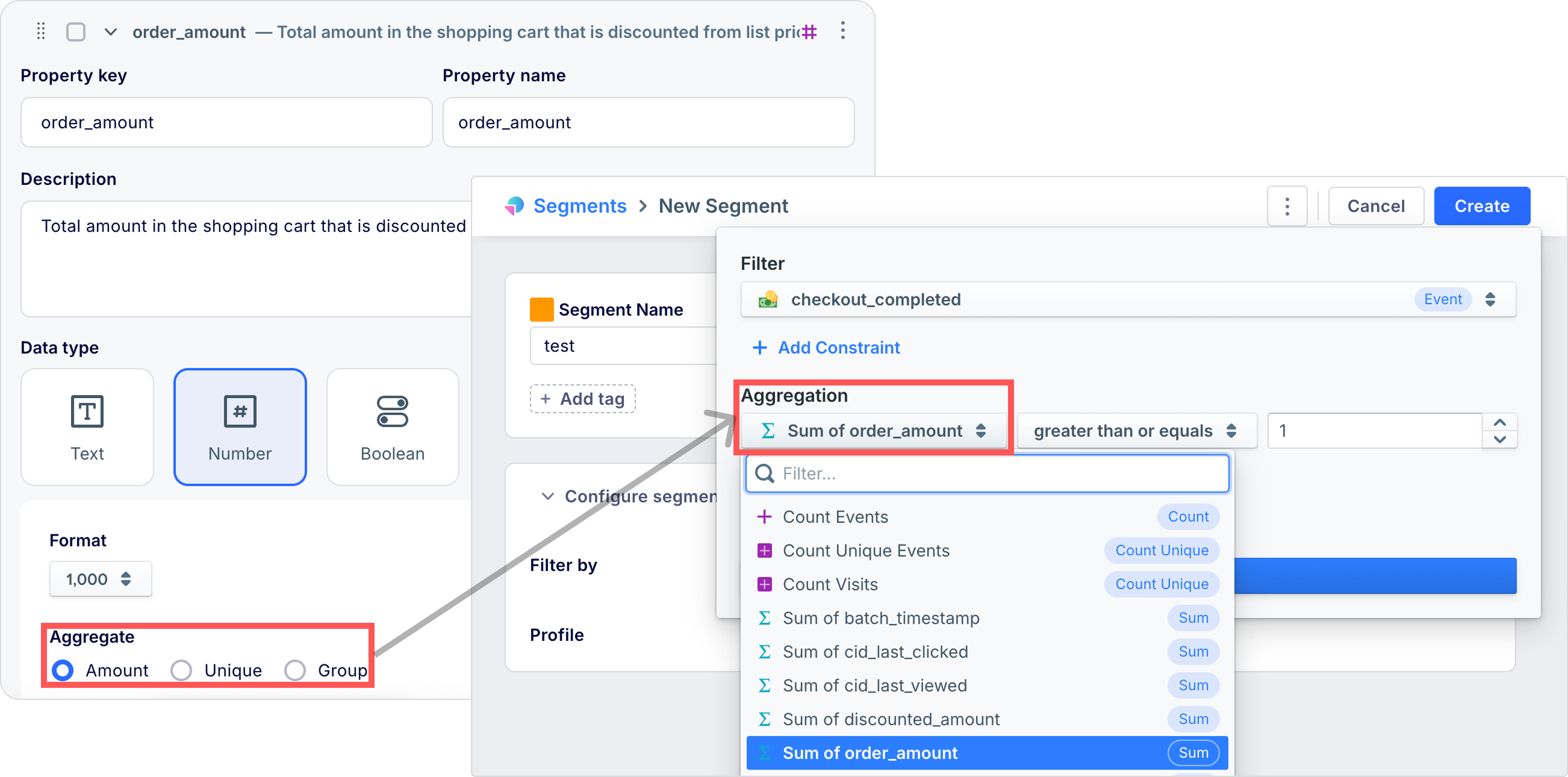 |
Buckets
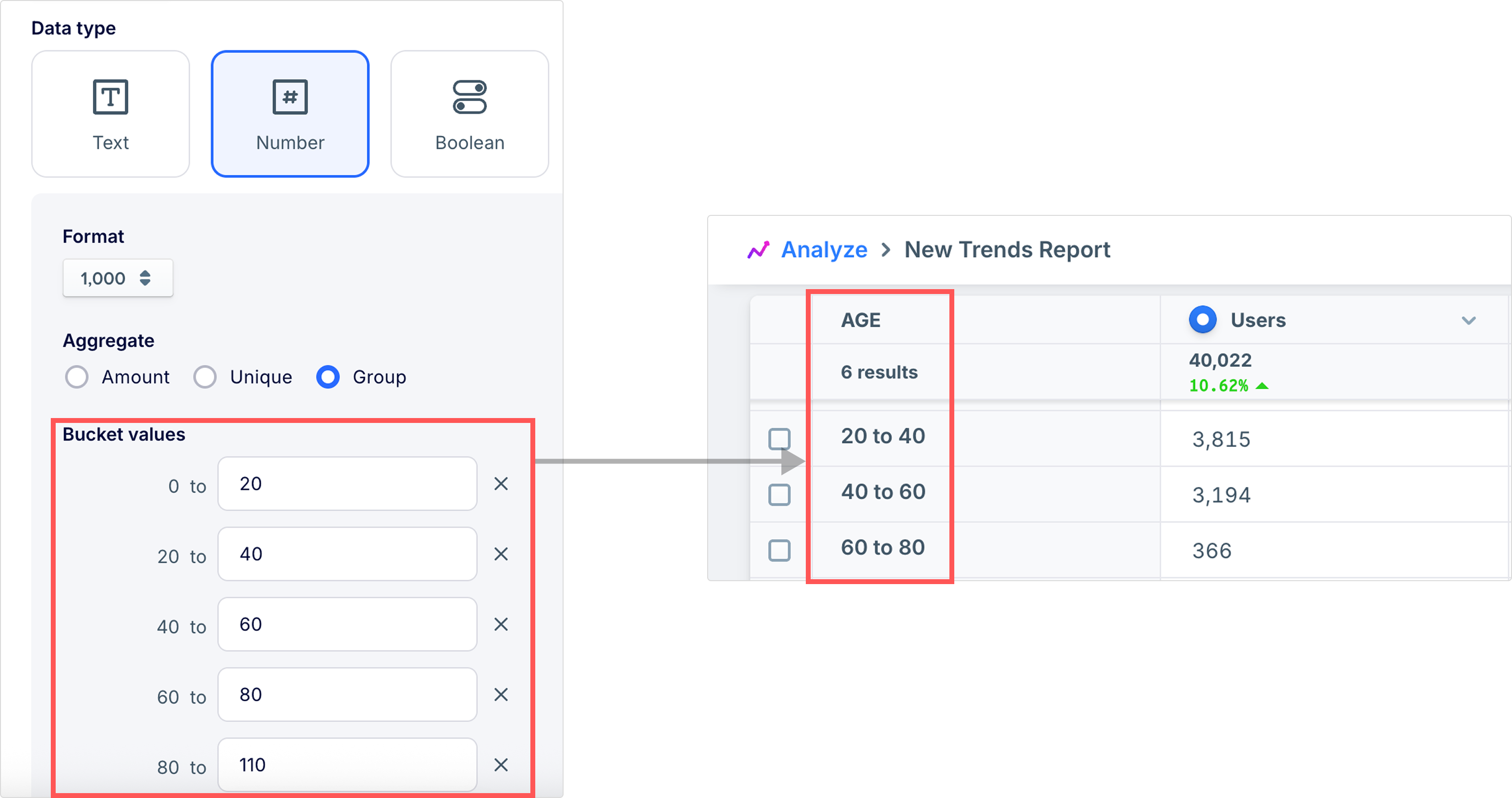
Use Buckets to group Number properties into defined quantity ranges for reports.
For example, for an age user property, you could define buckets such as "1–20", "21–40", "41–60", and "61 or more". If your account has AIRIS enabled, you can use these ranges as a Compare by option in a trend report to compare behavior across age groups instead of comparing individual ages.
Updated 2 days ago
Did this page help you?