
User Schemas
User schemas define the profile attributes and metrics that tell you who your users are. By defining clear user properties, you ensure that your team can accurately build audience segments and personalize campaigns based on user traits and historical behavior.
NoteFor accounts with AIRIS enabled, see System User Schema for the full list of pre-built schemas.
To view and manage your user schemas, go to Common settings > Data management, then select User schema.
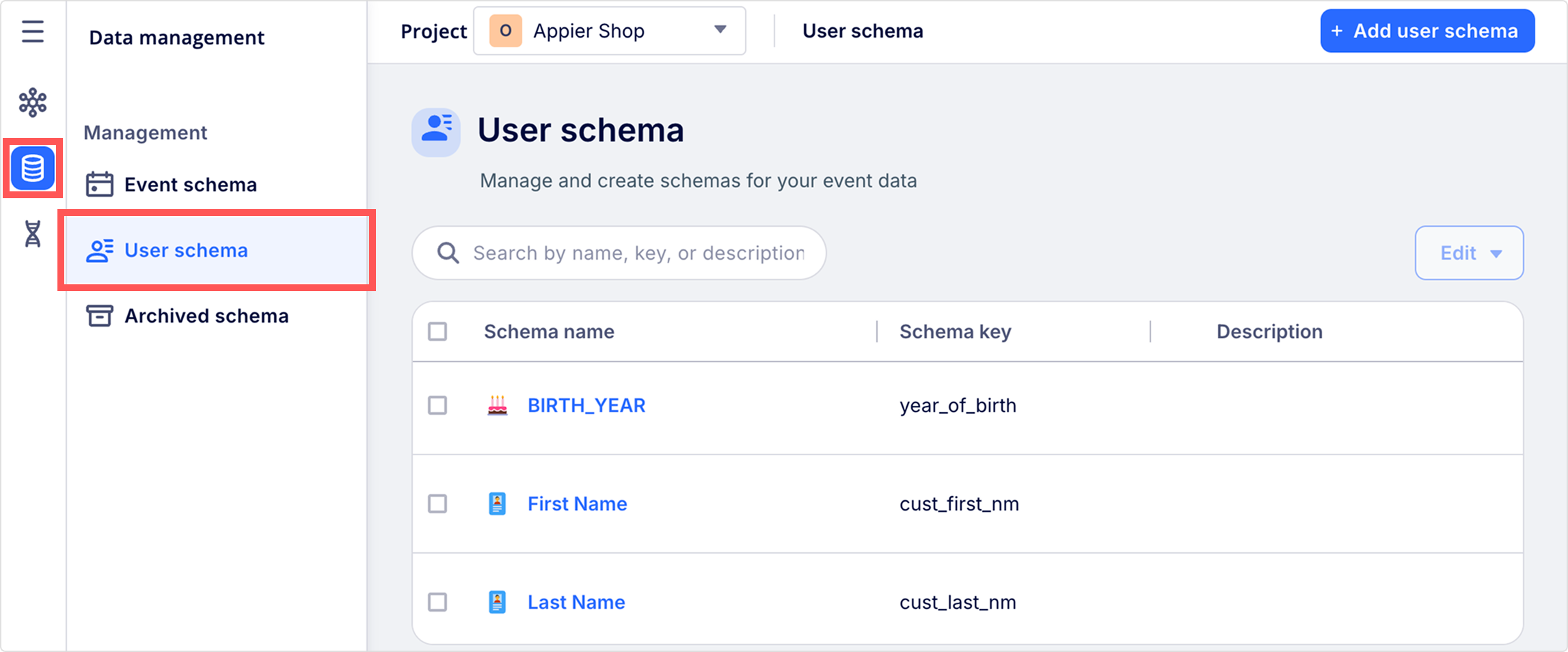
Create a user schema
You can modify an existing schema to rename a schema, update its description, or modify its properties at any time. If the system user schemas don't cover your tracking needs, you can either wait for auto-generation from incoming data or follow these steps to create a custom user schema.
PrerequisiteCreating and editing schemas requires Admin permission. Contact your customer support manager if you don't have access.
- Go to Common settings > Data management > User schema, and click + New user schema.
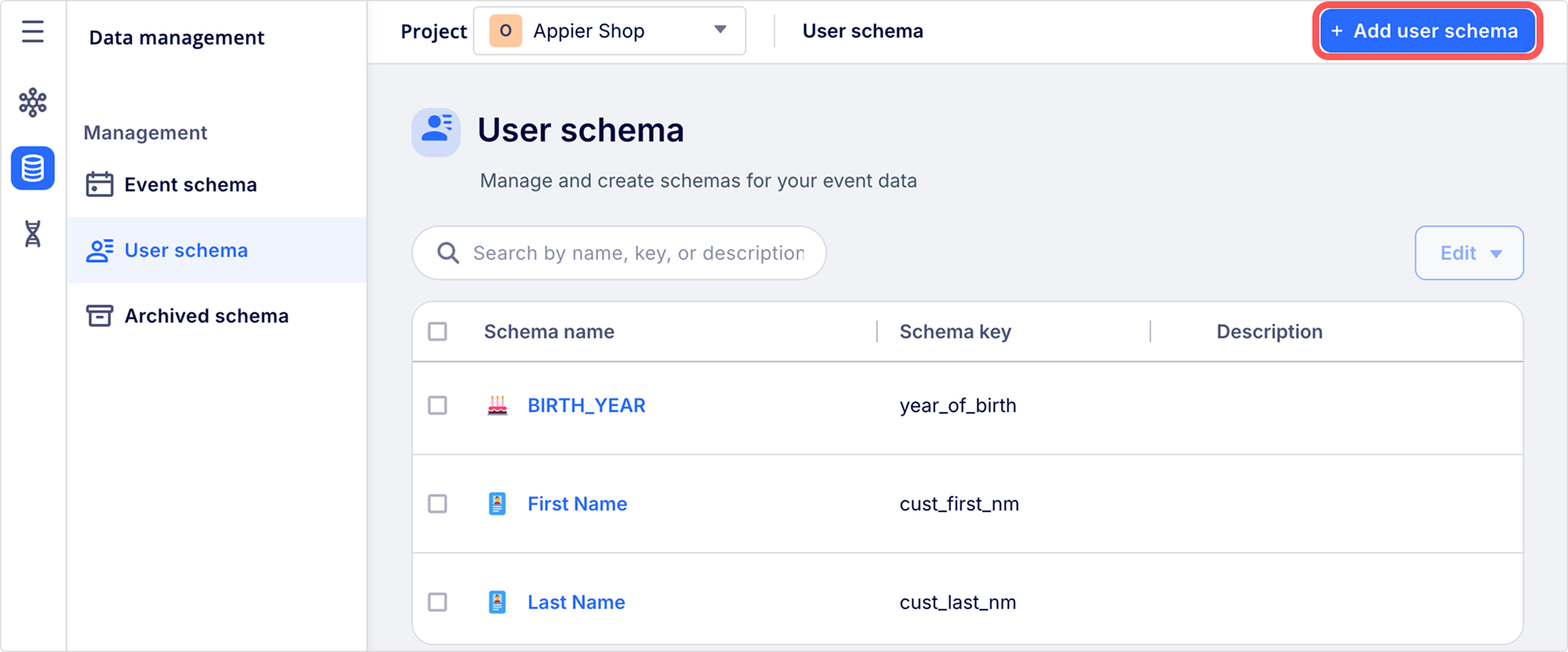
- In the Schema info section, name the user schema and add a description.
- Schema keys are character-sensitive. Accepted characters are upper and lower case letters, numbers, underscores, dashes, and spaces.
- After you enter a key, click the AI icon on the placeholders of the schema name and description fields to generate human-readable metadata automatically. These semantic hints help your team quickly understand how the field can be used for segmentation and reporting without needing technical interpretation.
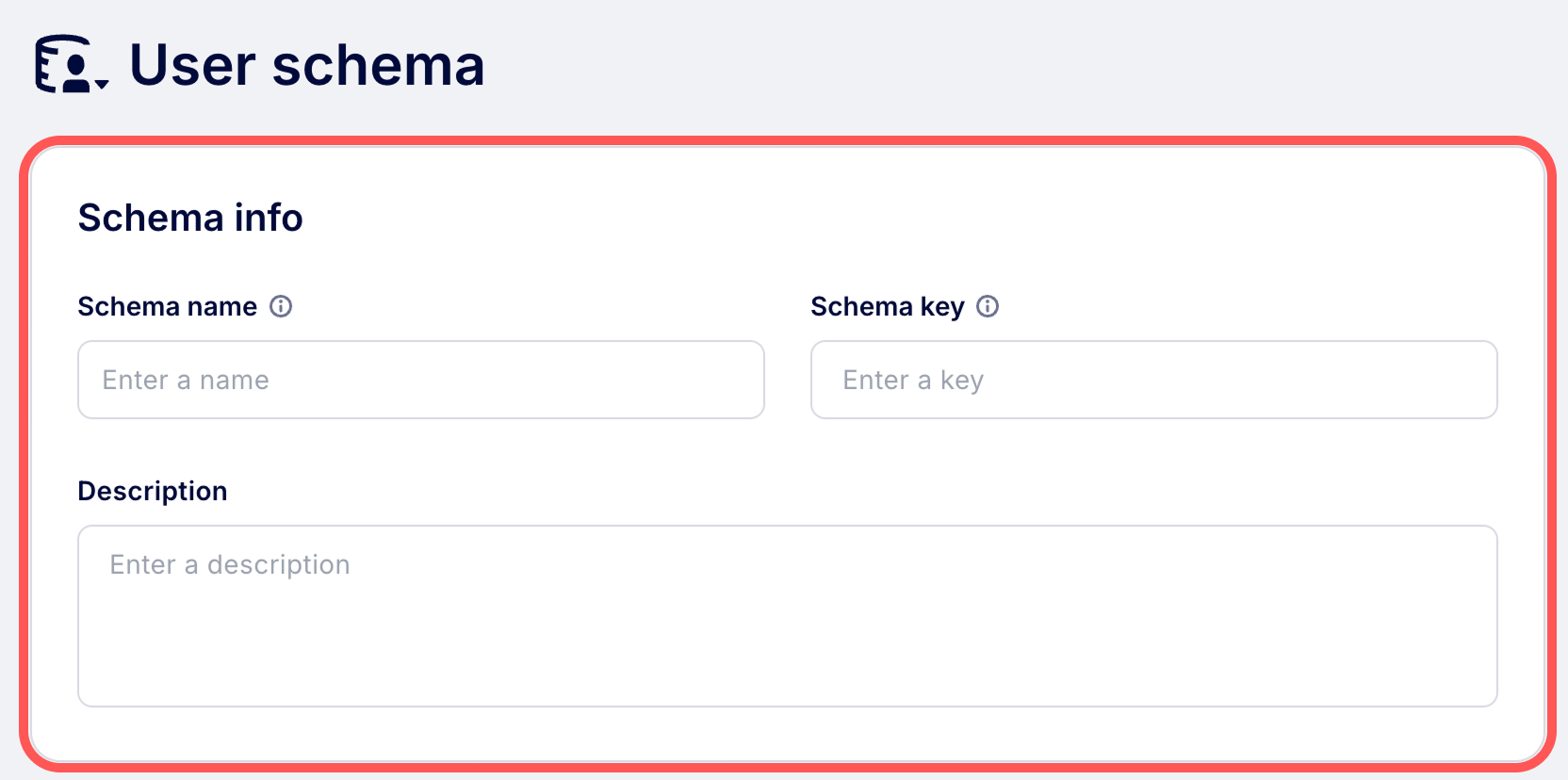
- In the Schema property section, configure the Property type, Data type and optionally enable the Sensitive information or Track property changes.
- Click Create to save the schema.
Schema property
Each user schema property requires the following configuration fields to determine how the data is processed and displayed.
| Field | Description |
|---|---|
| Property type | Defines how the property's value is generated. You can select a standard field, a dynamically calculated metric, or a custom formula. |
| Data type | The format of the property value, such as Text, Number, or Boolean. See the data type for a full list of types and formatting options. |
| Aggregation | Defines how the property is summarized in reports and segments. See Aggregations to learn about Group, Unique, and Amount settings. |
| Buckets | Groups a numerical property into defined ranges for use in trend reports. See Buckets for setup instructions. |
| Sensitive information (AIRIS) | Toggle on to mark this property as sensitive data. |
| Track property change | Toggle on to automatically generate a system event whenever this property is created or changed, allowing you to trigger campaigns based on profile updates like membership upgrades. This is only available for the Field property type. You can enable this setting for a maximum of 50 properties. |
Property types
Use the Property type to determine how a data point is calculated and stored in a user's profile. You can choose to store raw, static data as it comes in or use advanced property types to automatically calculate metrics based on a user's historical behavior.
Type availabilityWhile Field and Count are available to all users, other property types require accounts with AIRIS enabled.
| Type | Description | Use |
|---|---|---|
| Field | A standard, static data point passed directly from your tracking code. | For example, first_name, company, or city. |
| Count | The total number of times a selected event occurs. | Total number of songs played. |
| Sum (AIRIS) | The combined total of a numerical event property. | Total lifetime revenue. |
| Count unique (AIRIS) | The number of times a selected event occurs. | The number of unique songs played. |
| Last touch (AIRIS) | The property value from the most recent occurrence of an event. | The last article a user viewed. |
| First touch (AIRIS) | The property value obtained from the first occurrence of an event. | The first product a user purchased. |
| Top (AIRIS) | The most frequent value for a specific event property. | The most used feature. |
| Mean (AIRIS) | The mathematical average of a numerical property. | The average user spending amount. |
| Min (AIRIS) | The smallest value recorded for a numerical property. | The smallest amount spent by a user. |
| Max (AIRIS) | The highest value recorded for a numerical property. | The highest amount a user has loaded into their account. |
| Formula (AIRIS) | A custom value calculated using an equation of other properties. | Combining first_name and last_name into a single value. See Formulas for details. |
Updated 4 months ago